Values, switches and lamps
All PSX values are listed in the data browser under Aerowinx PSX. In profiles their names start with PSX:.
Finding a value
The data browser shows a tree: first the panel of the cockpit, then a group inside the panel, then the values of that group. For example, the audio control panels are grouped by the seat (captain, observer, first officer).
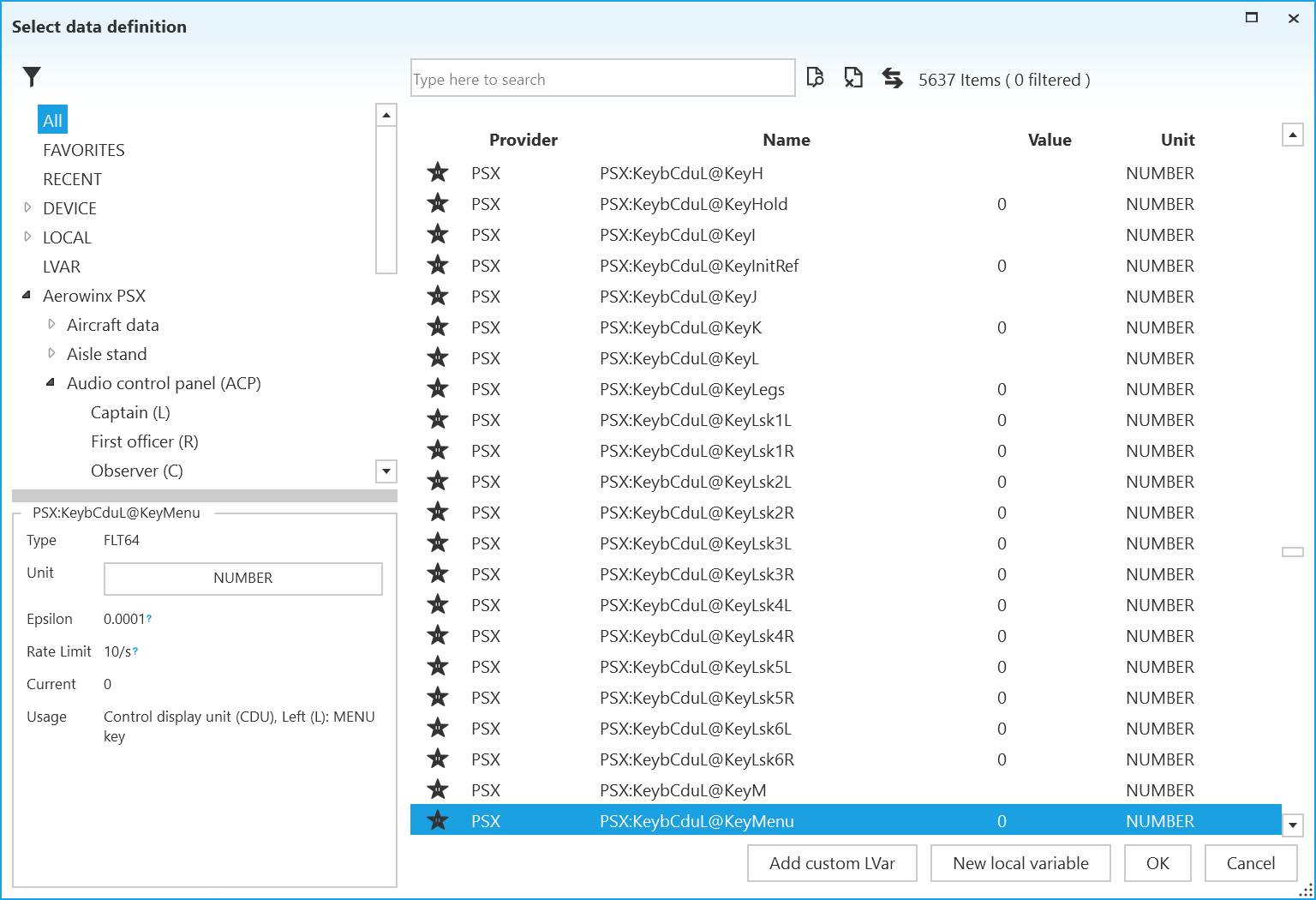
Browse the tree, do not search. The search of the data browser looks at the names of the values only. It does not look at the description or at the panel. A search for "ACP" or "VHF L" finds only what has these letters in its name. Open the panel and group you are looking for in the tree instead.
Parts of a value
PSX packs many things into one value, for example the push of a button and its two lamps, or the frequencies of a radio. SPAD.neXt splits these values into parts, and each part is a simple value of its own, with a description. A part is named PSX:<value>@<part>. For example:
| Name | Meaning |
|---|---|
PSX:KeybCduL@KeyA | The A key of the left CDU |
PSX:LtOvhd@Percent | The brightness knob of the overhead panel, in percent |
PSX:MdtVoltages@BrightnessDimK2a | The brightness of one group of indicator lights, in percent |
You do not have to work with bits or split text. Use the parts.
Whole values
The whole values with the names PSX itself uses (Aerowinx names) stay available. Those that belong to a panel are listed in their panel and group, with the plain name. All others are listed under Other variables (Aerowinx names). Use the whole value only when there is no part for what you need.
Switches and knobs
- Switches have one value per position. Writing 1 to a position sets the switch to it.
- Knobs that turn without an end stop, for example the knobs of the radio panels or the frequency knobs, are clicks: every value you write is added as that many clicks, right or left. Write 1 to turn one click to the right, -1 for one click to the left.
- Knobs with a range, for example the light knobs, have a part named
@Percentwith values from 0 to 100. A value outside is limited to the range.
Push buttons and keys
A push button or key of PSX does not stay pressed. SPAD.neXt treats a button press, and a key press on the CDU, as a short pulse of about 60 ms: the value goes to 1 and back to 0 by itself.
What that means for you:
- Writing 1 presses the button once. You do not have to write 0 afterwards.
- A condition on the same value sees 1 for only about 60 ms. If you assign an action to a push button of PSX and also add a condition on the same value, the condition is only true inside these 60 ms. This is enough for a press, but not for something that waits.
- Two presses of the same button inside 60 ms count as one. A real device does not press twice that fast. It matters only for a script.
- Some keys can be held. The talk switch of the audio panel, the CLR key and the ATC key of the CDU stay pressed until you write 0. A CLR held for one second clears the whole scratchpad, as in PSX.
Lamps
Every lamp is a part that is 1 while the lamp is lit, and 0 while it is off. A lamp also reads 1 during the lamp test of PSX, so a device shows the test as well. Lamps are read only.
The lamp test has a value of its own where PSX offers it, for example PSX:LightsCduL@LampTest for the CDU lamps.
Brightness
SPAD.neXt offers the brightness in percent, from 0 (dark) to 100 (full brightness). They are found under Aerowinx PSX > Light brightness.
- Brightness of indicator lights and panel lights are read only. Each belongs to a power source of the cockpit, and the description says what it feeds. Use it, for example, to dim the LEDs of your device through the usual brightness action.
- Light knobs have a writable part
@Percent. Writing a value sets the knob in PSX.
PSX dims a group of lamps together. For that reason SPAD.neXt offers one brightness value for a group, not one per lamp. Whether a lamp is lit is a separate value, the lamp.
A few lamps do not have a brightness yet. They are on or off only. The description of the lamp says which brightness belongs to it.
Radio frequencies
The radio panels store their frequencies as numbers in kHz. 118000 means 118.000 MHz. The frequencies are in the radio items of the panel (active and standby for each radio). The knobs of PSX change the standby frequency. The active frequency changes when the swap button is pressed.
| Radio | Range in kHz | Example |
|---|---|---|
| VHF | 118000 to 136990 | 121500 is 121.500 MHz |
| HF | 2000 to 29999 | 5643 is 5.643 MHz |
| HF sensitivity | 0 to 100 | |
| AM | 0 or 1 |
The ranges are what the knobs of PSX itself reach. A value outside the range is limited to the nearest end of it. A frequency you wrote in MHz by mistake, for example 118, becomes 118000 (118.000 MHz) and not 118 kHz. SPAD.neXt can only limit a number, it cannot tell whether it is the one you meant, so check the unit in your profile.
SPAD.neXt does not round a frequency to a valid channel. PSX takes a number between two channels as it is.
Text values
Some values of PSX are text, for example the display of the radio panel or the lines of the CDU. They can be read, but not written.
A text value cannot be written. To change something that is stored in a text, use the part for it where there is one. For example, the frequencies of a radio are parts with numbers, and the CDU is operated with its keys.